Telus, how may I (not) help you?

Posted December 1st, 2011 by Spaceman
Categories: Technology, Television

UPDATE: I’ve updated this post a few times with ongoing issues. Almost every month I have had to call Telus to correct a billing or service issue, most of which is detailed below up until April 2011, with subsequent issues at the bottom of this post.

We subscribe to a great new internet service here in Surrey, British Columbia called Optik, a combination TV and internet offering from Telus. It promises downstream speeds up to 15Mbit/s and upstream speeds of 1Mbit/s (better than average for this part of the world, but still not awesome compared to the rest of the planet). They come to your home and wire everything up, including installing a Wifi router.

It’s a brand new service utilizing new technology (IPTV via Microsoft’s MediaRoom), and so I expect a certain amount of growing pains on Telus’ behalf as they figure out what works and scales up. Since we signed up six months ago in October 2010, we’ve had the following issues:

  • Telus didn’t receive our online install request, so we had to wait an extra 2 weeks for them to install it.
     
  • Telus installed an inferior router (802.11g, megabit ethernet) relative to our own home setup (802.11n, gigabit ethernet).
     
  • Telus missed an installation step that stopped our entryphone from working for many weeks. It took two hours over two separate support requests to convince Telus it required intervention from them, as told to us by our building supervisor. Telus showed up, confirmed they missed something the first time and had our entryphone working again in a few minutes.
     
  • Confusing billing during their promotional period (multiple lines for discounts, partial billings, costs, free installation, rentals, almost a page long one month).
     
  • Billed a strange tiny amount for a phone line we didn’t order.
     
  • Too little billed one month, which made our next bill huge.
     
  • Unable to record with the PVR for 3 weeks in January, diagnosed as a problem with Microsoft’s Mediaroom software running on everyones PVRs.
     
  • Telus never called us back about the recording problem despite their promises, we had to again call them.
     
  • Inconsistent / unreliable connectivity, during which Telus replaced the router with a new Actiontec V1000H, featuring 802.11n and gigabit ethernet, yay!

Which brings me to my latest interaction with Telus! This new router seemed great. It finally had gigabit ethernet and 802.11n networking, which means I can route more of our internal network through it. Integral to many home network setups for any slightly network-savvy customers, is the ability to modify port forwarding, firewall settings, DHCP assignments, and more. So I logged into the router expecting to be able to do these, and upon attempting to access the “advanced” tab, my HTTP connection with the router drops. Upon attempting to access the same page (or any other admin URL), I’m redirected to the login page and logged out.

I can work around a router lacking a few features, so I wasn’t too worried. However, I couldn’t tell if the router was faulty in its behaviour dropping my connection like that, or if it was intentional in order to prevent users from mucking about with basic home networking settings. Nonetheless, I figured a quick online support chat with Telus would help straighten things out.

I was gravely mistaken! I spent over an hour dealing with the representative, with whom you may see in this transcript was completely disinterested in helping beyond the simplest of connectivity tasks. In summary, if the TV worked and if I can access websites, then there’s nothing they’re willing to help with.

It’s a very hands-off approach that I wish Telus didn’t adopt, as it easily alienates users with any kind of home network savvy. If I bought a $60 router and plugged it into a cable modem connection (or standard non-IPTV non-QoS ADSL modem) like most home internet Wi-fi, I would have access to identical communication speeds with far more network integration options than the Telus-supplied Actiontec V1000H has.

After posting on DSLReports.com, I’m happy to report that I solved the problem thanks to a fellow user who replied in 5 minutes with an answer. We’re now on a dual-band 802.11n wireless network, with the entire house on gigabit ethernet, with a media server, Netflix account, central file/photo/music repository, still all with pretty good internet speeds and a decent television setup.

The moral of the story is to not expect much except frustration from Telus Support if you have even the slightest proclivity for technology.

UPDATE (May 15, 2011): I had to phone Telus again about our Optik bill. It turns out they raised the rates for TV and internet access by 2-3 dollars each, and I missed the small line item on a bill a few months ago explaining this would happen. Anyway, I thanked them for pointing out my mistake, and they still offered to give me one month free of internet access. So, while not necessary it was certainly appreciated. Thanks Telus!

UPDATE #2 (June 30, 2011): My next statement actually back-billed me for 75% of the free month they gave us. Crazy! Details to follow.

UPDATE #3 (July 2011): I had to talk to two different customer service reps, because the first one was convinced I didn’t understand the concept of pro-rated billing, belittling me by telling me it has already been explained to me and refusing to analyze the situation closely. The second rep recognized the problem was indeed theirs, fixed it and apologized.

UPDATE #4 (October 2011): I called to upgrade from 15Mbps to 25Mbps. Ports available, but unable to provision, so I was told to call back in a month. Called back three days later and got the requested service. Speeds never increased, as I was checking daily/hourly with Speedtest.net and a quiet home network. Called to check on status, all is well, wait a few more days. Again, no change in speed one week after Telus started billing me for it. More time spent on the phone, Telus admitted it was their mistake, transferred me a few times, and finally got the speed I was paying for. The whole ordeal was more headaches and wasted time. That said, the speed is consistent throughout the day, very low latency and otherwise great. Technically Telus has a lot of good things going for them, they just have a strange view towards customer service and ensuring things are done correctly.

UPDATE #5 (Nov 2011): A couple months ago we were tempted by a free one-month trial of the movie channels which we were told we could cancel anytime. I canceled shortly after the first month, and on my latest bill I noticed they billed me up until today at $20/month. I waited on hold for 75 minutes (which they were unapologetic about), I explained I was being improperly charged, waited another few minutes, and was informed that this apparently is the way they do it. Cancellations take effect on the next billing cycle, not when you tell them you want to cancel. Because I wasn’t explicitly told this when I called to cancel originally, the representative reversed the charge, and made a specific point of explaining this to me now so that their a** is covered should it come up again. Ignoring the fact that instant activations/subscriptions and delayed billed-for cancellations is nothing but a cash grab setup favouring only Telus, I’ve seen first-hand that Telus often jumps to the assumption that their customer is wrong, placing the burden of proof on the end-user. I have wasted far too much time with this company.
Adventures in Insteon

Posted July 27th, 2011 by Spaceman
Categories: Uncategorized

I believe I have outgrown my SmartLinc controller. It has all the workings of an absolutely amazing Insteon powerline modem (PLM) as a network controller, but almost no companies put effort into supporting it. Instead they focus on older hardwired technologies, even though the SmartLinc is one of the most (if not the most) popular Insteon controller and thus possibly representing a large untapped market for them.

Anyway, the SmartLinc is great for running basic timers and allowing web access to Insteon devices. However, I need more than simple timers and web access now. I want to be able to incorporate logic into our house, so that it keeps tracks of certain modes for example. Such as a nighttime security mode, an away-from-home security mode, a vacation mode, and more. I also want to be able to script a lot of this myself, so I can devise new scenarios or adapt existing ones if/when I acquire new equipment.

The SmartLinc will technically allow you to do all this provided you have a computer running 24/7 to handle the logic. However, because there are no programs offering an elegant interface to the PLM side of the SmartLinc, my coding attempts would be written in Python or Java and thus would be hard to maintain. The alternative is to get something other than a SmartLinc and use it with a full-featured desktop software package that allows for easy configuring of all the fancy stuff I want to do.

Through my research, I love the usability and features of Indigo. For anything it can’t already do, it gives you access to AppleScript, a language similar to the very first language I ever programmed in (HyperTalk from back in the HyperCard days). It is also very actively and continually supported. The price floors me though ($180 + tax)! Not to mention the hardware side of all this, that I now need to buy a controller to replace the SmartLinc.

Hardware-wise, there are really only three options I would consider to get a computer to talk to an Insteon network. There are alternatives if you don’t want to leave a computer running, but since I have a media server running it would make a perfect home automation server as well.

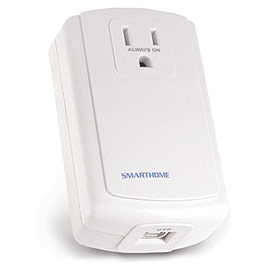
  • PowerLinc 2414U – Features a pass-through plug and the ability to store simple timers. Single-band only, meaning it only communicates through the power line and not wirelessly.
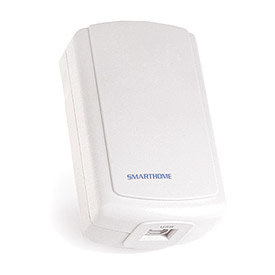
  • PowerLinc 2413U – A dual-band device so your network is more reliable. No ability to upload simple timers and no pass-through plug.
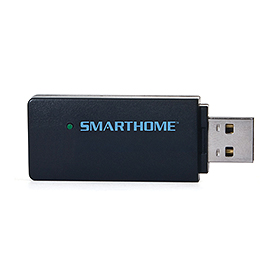
  • RF Insteon USB Interface 2448A7 – Wireless only and very small form-factor. No ability to upload timers.
I chose the small USB stick for the following reasons:
  1. Good wireless Insteon setup already in place in my house
  2. Small, easy to install and doesn’t need a dedicated outlet
  3. Future computing will becoming smaller and increasingly mobile

So now I’m just waiting for it to show up in the mail. For all I’ve done with the SmartLinc, I still think it is a fantastic device. Chris Karr from Shion Online and QW Home Automation from Teraspaces Inc are fleshing out support for the SmartLinc controller. However, the most robust home-automation software packages out there have shied away from it. If I can’t sell the SmartLinc, perhaps one day it will become handy again. Until then, I have to figure out how to get the house to welcome me home with the evening news headlines while taking off my shoes… :)

Never miss a TV show

Posted July 27th, 2011 by Spaceman
Categories: Elegant Mac

I rarely will surf the TV to see what’s on. Instead, my wife and I both have specific shows we like to watch, and we like watching them when it’s convenient for us. To that end we use a PVR, some iPhone/iPad apps, and an occasional internet stream. Even with all that, we sometimes miss shows. Particularly when the TV networks put all the good shows on at the same time (darn you Thursday nights)!

To that end, I simply must know when new episodes of my favourite TV show are released, as I dislike not knowing why a show didn’t record. Overlapping shows, repeat episodes, breaking news, prolonged sports games, etc, it’s all happened before, and destined to happen again.

I need an elegant Mac solution to this problem! I found it in a website called TVcountdown.com, which gleefully allows you choose your shows and export them to iCal. Better yet, you can subscribe to your customized calendar, and never worry about updating it again!

Here’s how you do it:

  1. Visit TVcountdown.com.
  2. Scroll down to the bottom half of the page, where it says “Select your favorite shows to get a personal listing,” and click the checkbox for each show you see that you want in your new iCal calendar.
  3. Right-click (or control-click if you haven’t set up right-clicking yet) on the Listing in iCal format link at the very very bottom of the page, and go to Copy link.
  4. Open iCal, and go to “Subscribe” in the “Calendar” menu. Paste the link into here and click “Subscribe”.

That’s it! You now have all your favourite shows in your iCal on their separate calendar that you can toggle on and off. I like syncing this calendar with my iPhone too.

Obsess much?

Posted May 10th, 2011 by Spaceman
Categories: Elegant Mac, Technology

I find I always work faster when I’m organized, and with a 6 month old daughter, a beautiful wife and a 9 to 5 job, I have to do something to free up some time for video gaming! According to Steam at the time I wrote this, I barely logged 2 hours in the last couple weeks, instead spending far more worthwhile time with my family.

I digress, but my point is is that in order to get ahead on everything and not simply quench the day-to-day fires, I’m looking towards productivity software on the Mac to keep my tasks quick and organized.

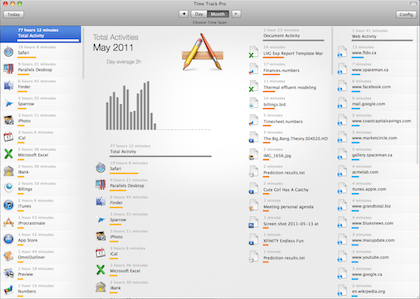
I’ll be posting more on my findings on productivity software later, but one app that I’ve used longer than the others, blissfully collecting data for me is Time Track (free), and Time Track Pro ($4.99).

You will rarely notice it running, save for a small menubar icon that sits alongside the time, Bluetooth, wifi and other icons you may have at the top-right of your screen.

Time Track will silently record the amount of time you spend in each program, and produce nicely coloured reports by day or month showing the results. If you have Time Track Pro, you’ll also get document tracking and webpage tracking, so you can very accurately see just what you were up to.

Why is any of this useful? Time management and personal behavioral analysis I say! For example:

- see how much time you spend on Digg, Slashdot, Facebook, Twitter, and so on. Maybe some news sites deliver info quicker than others? Or see where you’re billable time isn’t going? Maybe stopping one of these sites would free up an hour to spend time with family? Now you can decide exactly which one.
- if you’re a freelancer, you can see exactly how long you spend on each file for your client
- learn about your habits
- track if programs you bought were really worth it by how much use they get
- see how much you’ve been gaming
- other obsessive opportunities

I’ve used it for three weeks now. In that time I’ve interacted with my computer for 100 hours, with my most popular apps being Safari, iPhoto and Parallels.

In summary, it’s a great app that takes no resources and gives you some excellent introspective information for you to interpret. I’m curious to see what I can read into it given another few weeks!

Pros:
- Unobtrusive
- Attractive interface
- Uses minimal system resources
- Transfer your data from Time Track to Time Track Pro with a single button press

Cons:
- Unable to export any data it collects, even in the Pro version

Even the non-pro version I enjoyed running on my machine. Now that I have the pro version, this will stay installed for quite some time.

Putting the “smart” in SmartLinc

Posted January 27th, 2011 by Spaceman
Categories: My life, Technology

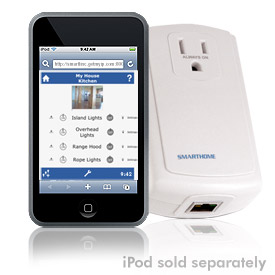
My previous post talked about my latest hobby, Insteon-based home automation. My first purchase in this regard was a set of light switches that I wired into our home, as well as a controller called “SmartLinc” that facilitates control over my setup. Basically it is a small box that plugs into the wall and also plugs into your home internet router. It runs a small web server that you can then access to see which lights are on in your house, which plugs are turned on, and so on.

The problem is, this SmartLinc isn’t very smart. It’s very attractive for new users such as myself because it has a picture of an iPhone on the kit and a built-in preconfigured web server. As many users soon find out, it’s only use is for turning things on and off via a timer or manually by a web browser. More advanced functionality such as making use of “trigger” events (whereby a motion sensor sees movement, or a door sensor activates), advanced dynamic schedules, and so on require a different type of device.

These other, more capable, devices come in two categories. One type is an all-in-one solution, like the ISY which acts as a controller and as a bridge between the controller and the powerline for communications. The main benefit of these is that they are self-contained. Easy to install, easy to replace, and reasonably easy to configure through a web browser.

The other type is simply the communications bridge between a computer that you supply, and the modules you have installed. This is often referred to as a powerline modem (PLM). The biggest benefit of this arrangement is that now you can choose the software you want to run to control your house. If there’s something you don’t like, you can change the software package you use or write some scripts yourself. The disadvantage of course is that you have to have a computer in your house that is always connected to the internet and is always turned on.

What’s my point? Well, I have reason to believe that the SmartLinc is smarter than the manufacturers have let on. I would wager that the device can also double as a PLM. This means it may be the perfect device for hobbyists, since it would allow standalone access to simple functions, as well as (simultaneously) allowing a computer to send commands to it to talk to the powerline. Unfortunately, no software package out there really supports this functionality yet.

Accessing the SmartLinc is normally done through a web browser, which accesses port 80 on the device. Observant individuals (1, 2) have noted that another port is “open” and accepts connections, namely port 9761. Cursory investigations seem to suggest that this port can be used to send and receive the same serial code used on PLMs sold specifically for that purpose. I know of only one software program that is actively investigating supporting the SmartLinc for use as a PLM via this method, meaning that you might be able to use a SmartLinc in a truly smart way — as a quick standalone interface to controlling switches, and as part of a larger system with advanced schedules and triggers.

The only semi-official word I’ve seen on the purpose of the port being open is from a post made on this forum

It is our (SmartHome’s) goal to provide a pass-through mode for the SmartLinc Controller so that if Ethernet data is sent to Port x-x-x-x of the SmartLinc, those signals would just be passed through the SmartLinc Ethernet daughter board to the PowerLinc Modem main board. This ability and Matt’s support to have Indigo speak “PLM” is about a year away. When this happens, I expect Matt and his software to be the first to support it…

That post was written in 2009, and I’m guessing they’re talking about port 9761. No one (yet) supports it apart from a few programs. MiCasa for iPhone is one, but there are others on the way ;)

UPDATE (Feb 2, 2011): A program called Shion now supports communication with the SmartLinc via this undocumented protocol. Not only that, but the author Chris Karr, has made his code available to all developers. His words, “it may now be one of my favorite [insteon] controllers”.

UPDATE #2 (Apr 9, 2011): This forum thread is tracking some interested developments by the Insteon community! Now let’s see a few companies start to adopt this too! Hey, it’d open up a whole market of SmartLinc users for their product, so why not? ;)

Fun with Home Automation

Posted January 27th, 2011 by Spaceman
Categories: My life, Technology

I found a new hobby last year that I’ve already sunk too much money into, but since the “cool factor” still persists for me and those around me, I figure that so far it must still be worth it!

What is this new hobby? Home automation (aka domotics), and while it still seems to be populated mostly be amatuers, there are a lot of great products and a lot of small communities supporting it, perfect for my next obsession. It’s niche enough to be uncommon, technical enough to be challenging, useful enough to be (arguably) practical, and free-form enough that I can be creative with it. And it’s fun!

It all started when we wanted a way to heat up our rented basement suite before we got home after work, because our landlords never believed in setting the thermostat above 16 degrees celsius. Our only option was a free-standing oil-filled radiator/heater that had to be switched on manually.

So I started searching the internet for home automation, and quickly stumbled upon a super-cool technology called Insteon. Insteon is a powerline communication protocol that allows light switches, receptacles, thermostats, door sensors, motion sensors and more to talk to each other over the electrical wiring in your home. Very quickly you can build pre-programmed setups that dim the lights and turn on the TV and blu-ray player, or to automatically turn the lights on before you get home, and more. With a huge collection of different modules you can buy and install, the possibilities are limited only by your imagination.

Each module costs between $40 and $80 Canadian, and after much scouring and searching, the best (and only) company selling these in Canada is a company called AARTech. Alternatively you can buy from the original manufacturer in the USA called SmartHome, however you could be paying hefty brokerage fees when your goods cross the border.


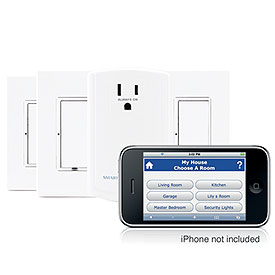
I started off with a “Starter Kit,” allowing me to control three light switches and a plug from a web browser (which also works great on an iPhone by the way). I then bought another two switches which were of a special “dual-band” variety so that I could get better coverage throughout our condo. And now I have 8 new devices (light switches and keypads) waiting for me at home for me to install, which should just about make every single light in our home controllable by iPhone, from anywhere in the world. Mwhaha.

It’s addictive, but also it’s somewhat of an investment. Sure it’s nice to be able to turn lights, plugs, fireplaces, etc on and off without getting up, but we can also reuse the modules in new setups, new buildings, and so on. I’m waiting to see how long each individual module might last, though I’m hoping for 10-15 years (maybe that’s optimistic). And maybe when we sell the condo we could get more for it if we leave the home automatic equipment in place?

My next task is to setup a new piece of software I have, called Shion, to automatically detect when my iPhone gets within 50m of my condo, and turn on the entry lights. I also plan to have it detect when I leave, and turning off any lights I may have forgot about. Since all the occupants of my condo have iPhones, I’ll have to write up a script that doesn’t trigger anything unless only one iPhone is entering/leaving the house. We also have a rec centre in our complex. Theoretically, Shion can detect when we’re at the rec centre too, and adjust the house lights and plugs accordingly, popping them back on when we get back from a workout.

Fun, fun fun. Maybe it’s worth turning this into a business? Home automation installations? Hrm…but who has the time.

Fun in space with Evochron Legends

Posted March 24th, 2009 by Spaceman
Categories: Space

Flying past space stationsI’m sitting in my custom-built mining ship on the surface of an unknown planet, listening to music and catching up on emails. In the sky I see a faint ring of debris and the main star peeking out from the clouds — looks like it might rain soon. In a few moments I’ll fly to the nearest city and unload the metals I’ve mined. Since there is a huge lack of capable miners here, they’re paying really well. I’ll take my money, point my nose to the sky, set the engines on full and watch the planet get smaller behind me. Next stop, skimming the corona of the nearby star to collect some much needed fuel for my trip to the next system.

Evochron Legends is probably the best space game you’ve never heard of. It is a sandbox game, meaning you are given the tools to play with and let loose in a universe to explore your own path. There are no rules in Evochron, save for that only your actions define who you are. There is an active economy, a detailed reputation system, a story that will take you to the edges of the galaxy, and a contract system that will have you fighting, cleaning, spying and delivering your way through space-based society.

It is also one of the best looking space simulation games out there too, have a look at these screenshots.

At the time of writing this, the game is $25. All of that goes to the company that created this game (StarWraith 3D Games) which is comprised of, get this, a single person. One man is the programmer, sound editor, 3D modeler, website developer, forum administrator, artist and advertiser. His twenty year passion for creating space games has resulted in a carefully crafted grassroots masterpiece where one can fly through space, dogfight other players, travel through planetary atmospheres and trade their way to financial success. And he does a world-class job. The graphics are advanced enough to rival most other games like EVE Online and Vendetta, as are the sound effects, flight simulation capabilities and economies. Plus, there are no loading screens or cutscenes, everything is seamless.

There is a free 90-minute demo with an in-game tutorial. There is a bit of a learning curve, but it is well worth it for the freedom and adventure offered by this space sim. The download is 45 megabytes — for the full game also — but you shouldn’t be fooled by the small size. Once in memory this game uses as much resources as any modern game thanks to techniques such as advanced compression and procedural generation.

Now to get back to my mining, platinum is getting a good price these days…

The thumb on the hand of society

Posted January 17th, 2009 by Spaceman
Categories: Uncategorized

I can’t fully describe what has happened these last 3 days, but I wanted to write some of it down before I forget or it gets rolled in with other memories from our Philippino trip. We’re vacationing in the Philippines for a month for me to meet Marlen’s family and for us play eco-tourist around this beautiful country.

We arrived 3 nights ago connecting from Tokyo (which by the way has some surprising bathroom accommodations if you’re used to western facilities — a porcelin hole in the ground, noise machines for the easily embarrased, etc). Manila was quiet, thank goodness we arrived late at night. I had read on the plane the introduction to a guidebook we had, an excellent primer on understanding their culture. Our driver hadn’t yet eaten, so sure enough as the book predicted, the store we stopped at on the way to Morong served food into plastic bags. Apparently soft drinks are served similarly and with a straw, allowing the shopkeep to save the bottle and thus the deposit.

The suburbs and downtown Morong are perhaps 0.5km apart, easy walking distance. The temperature and pollution from passing tricycles make it tough enough, but the biggest challenge to walking anywhere is how social everyone is! I swear it took us 2.5 hours our first day, but it’s time well spent. Filippinos are incredibly friendly and each have huge personalities. It was new to me, I stand out like, well, a white guy in a throng of Asians. Kids were following me in the street, crowds gathered wherever we stopped, and almost everyone wanted to talk. I’m still stopped by the occasional person calling “Hey Joe!,” harkening back to the American GI Joes stationed here at bases in recent history. One lady we met was jokingly (or maybe not?) talking about her daughter and that I should introduce her to my brother back home. Honestly she was a nice person, but western society seems oddly novelty and revered to filippinos. Especially since the lack of money forces people to be friendly and charitable here in an everyday practical manner, far more than Canadians who may not even know who their neighbours are (and I’m guilty of this too). Our day finished with taking in the Miss Gay 2009 competition, featuring transvestites in a pagent-style competition. Most of the town came to watch, and it was as weird and funny as you might expect.

Yesterday I woke up to some of the kids here singing together in the front yard as they were playing. Later I saw a cockfighting arena in the next town over (Baras) and watched a few matches. I think the best way to desbribe it is with pictures and video, which I’ll upload soon.

I badly needed a haircut so we stopped by a barbershop downtown. The barber was the most detailed I’d ever seen, even using a razor blade to trim my hairline. However, we were seated right next to the door and I had nasty visions of someone bumping his elbow as they were coming or going, and me subsequently grasping my neck. Ahh, it’s best not to worry, heh. He charged what was around $1 for the haircut, so I gave him $2.

Oh, I’ve also seen fireflies, tried homebrewed coconut wine at the neighbours, and driven a Jeep along a rice field!

Today we leave for Bohol, and we negotiated a lower rate for a ride to the airport than last time. Airfare for the one hour flight is about $50 each, not bad. With the hot temperatures I hope (please oh please) that we can pack lightly enough!

I’ve gotta run for now, the roosters are waking up and because it’s Sunday the church bells have started up too. And all before 5:30am.

Re-orbit

Posted August 15th, 2008 by Spaceman
Categories: My life, Site news

My Mars trip has overshadowed what I originally intended for my blog, although I’ve been grateful for what has resulted and the interest countless people have taken in space exploration (even the Earth-bound variety). Starting shortly, I’ll resume some ramblings about the many big and small ideas I tend to keep to myself, including my thoughts on how to fix Canadian healthcare, musings on dealing in business ethically, and maybe even a geologic “story” or too.

Oh yeah, and space! I hope that my upcoming trip to the International Astronauticsl Congress in Glasgow this September will elucidate just how I want to deal with my rabid fascination for natural sciences.

I’m behind on watching Red Dwarf this year. Red alert bulb, anyone?

CBC Radio interview – 2

Posted March 3rd, 2008 by Spaceman
Categories: Mars Desert Research Station, My life, Space

Today I was on the CBC Radio One program On the Coast again for a follow-up interview on my visit to the Mars Desert Research Station last month. Click below to download the MP3!

On the Coast interview (icon)
On the Coast interview #2

(3.9MB; 10 minutes, 11 seconds)

Elsewhere in my blog you’ll find emails I sent to middle schools, my research proposal, and lots and lots of photos. The official site for information on our mission is here.

Belle and I